Circumflex Booking for WordPress
Circumflex Booking: appointment booking on your own WordPress site
Show real availability, receive booking requests, and manage every decision directly in WordPress – without an external booking platform.
Version 1.6.8 · Available on WordPress.org
Free booking add-on for flying clubs
Circumflex Booking Airspace
Use the same booking system to reserve airspace for flight training. Add quiet periods between sessions to avoid prolonged noise in one area, and distribute activity across several exercise areas.
Free · version 1.0.2 · requires Circumflex Booking 1.6.0
Install and update through Plugins → Add Plugin in WordPress. Install Core first. The add-on has no license key or telemetry.
Free booking add-on for meeting rooms
Circumflex Booking Meeting Rooms
Let employees, members, tenants, customers, and guests find and reserve a meeting room by location, capacity, facilities, and exact start and end time.
Free · version 1.0.1 · requires Circumflex Booking 1.6.0
Install and update through Plugins → Add Plugin in WordPress. Install Circumflex Booking first. The add-on has no license key or telemetry.
More booking needs
Need a Different Kind of Booking?
Contact us and describe how the booking journey should work. We consider suggestions for new add-ons.
Optional add-on
Need More Automation?
Circumflex Booking is the complete free plugin. Pro builds on the same booking form with optional sign-in and access control, automation, additional notification channels, follow-up, and insight into the booking journey based on anonymous data.
USD 49 per year excluding tax · one permanently assigned site · 30-day money-back guarantee
Purchases, licensing, and official Pro updates are handled through the secure customer portal.
From Available Time to Confirmed Appointment
Customers do not need an account. You retain control of services, availability, customer data, and the final approval.
Configure Your Offering
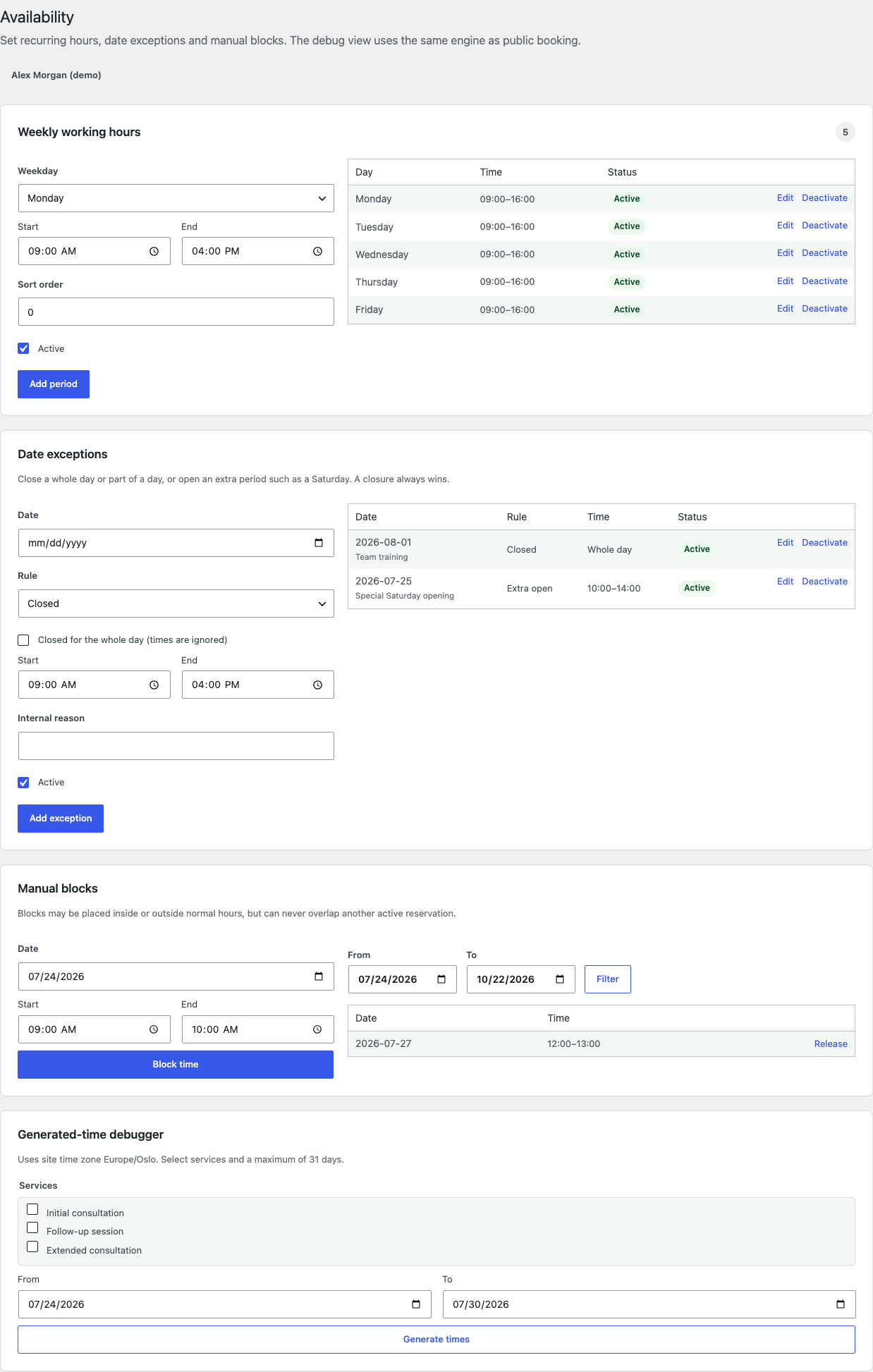
Create services and practitioners, set duration and preparation buffers, and define weekly hours, holidays, and other exceptions.
Embed Booking on Your Site
Circumflex Booking does not create a predefined booking URL. Create or edit a regular WordPress page, add the Gutenberg block, the [circumflex_booking] shortcode, or the Elementor widget, then publish the page. Share that page’s URL with your customers.
Process the Request
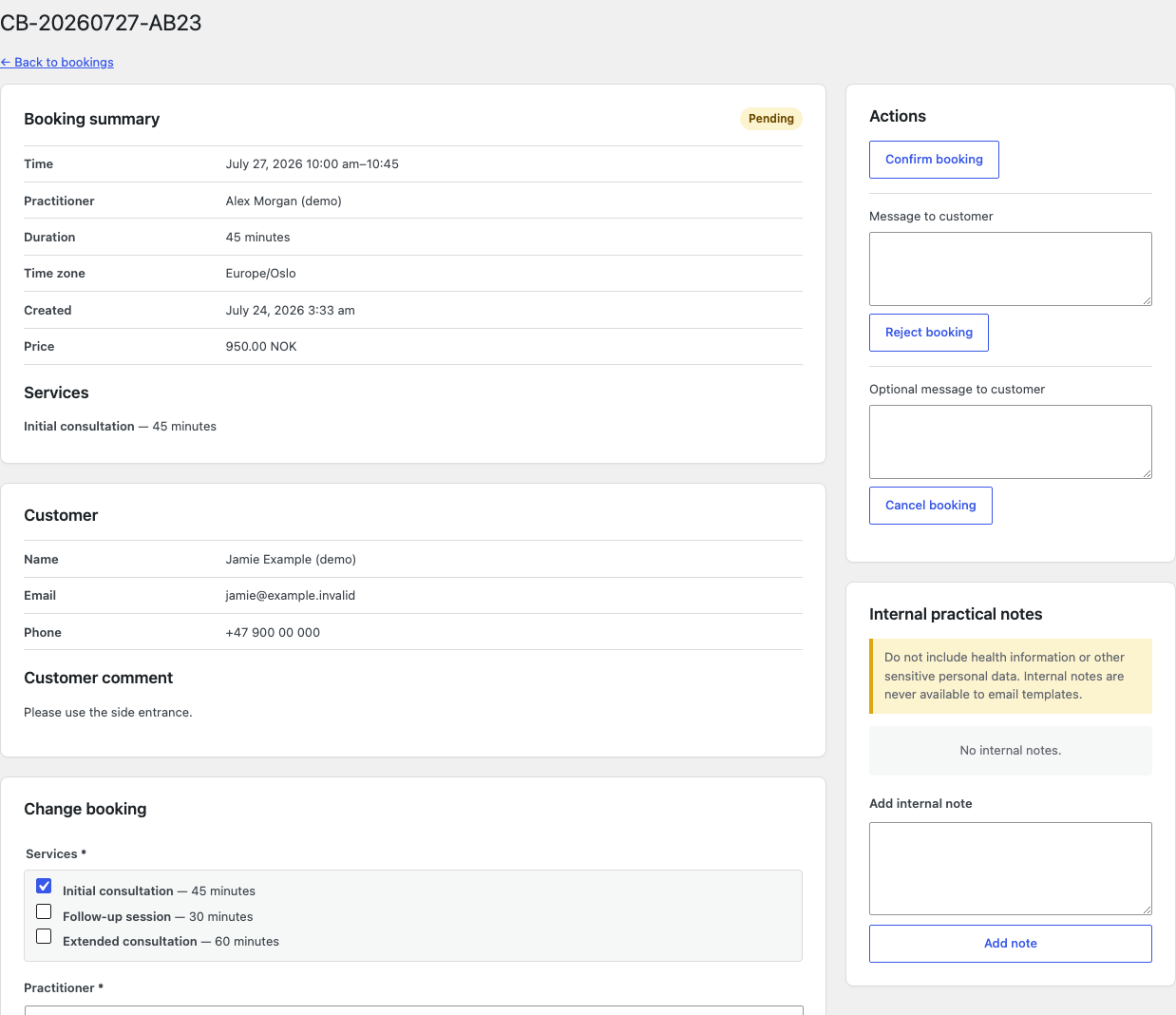
Confirm, reject, or reschedule the booking. The customer receives email and can later cancel or propose another time through a private link.
Features for the Complete Booking Flow
The plugin is designed for one business and one location, with support for one or more practitioners and services.
Real Availability
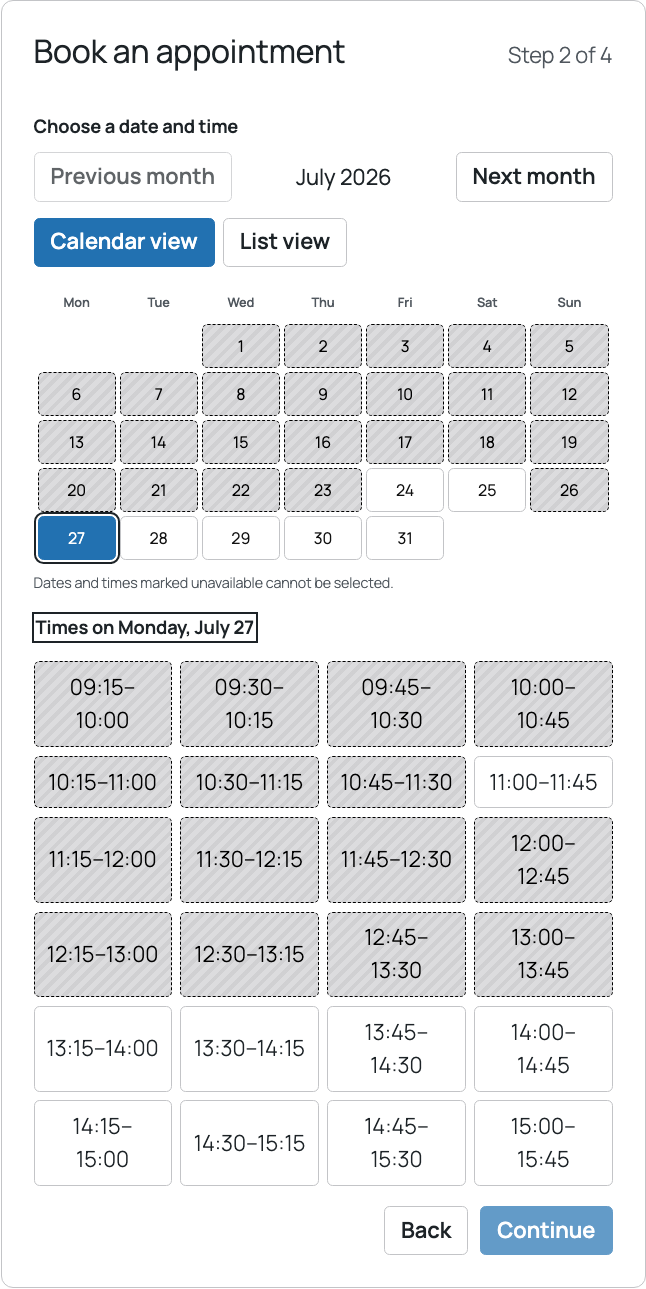
Calendar and list views combine working hours, date exceptions, reservations, service duration, and preparation buffers.
Manual Approval
Administrators and booking managers can process every request. A practitioner can be linked to a WordPress account and optionally allowed to confirm or reject only requests assigned to them.
Multiple Services & Practitioners
Customers can select several services in one booking and choose a practitioner or request the first available option.
Consistent Email
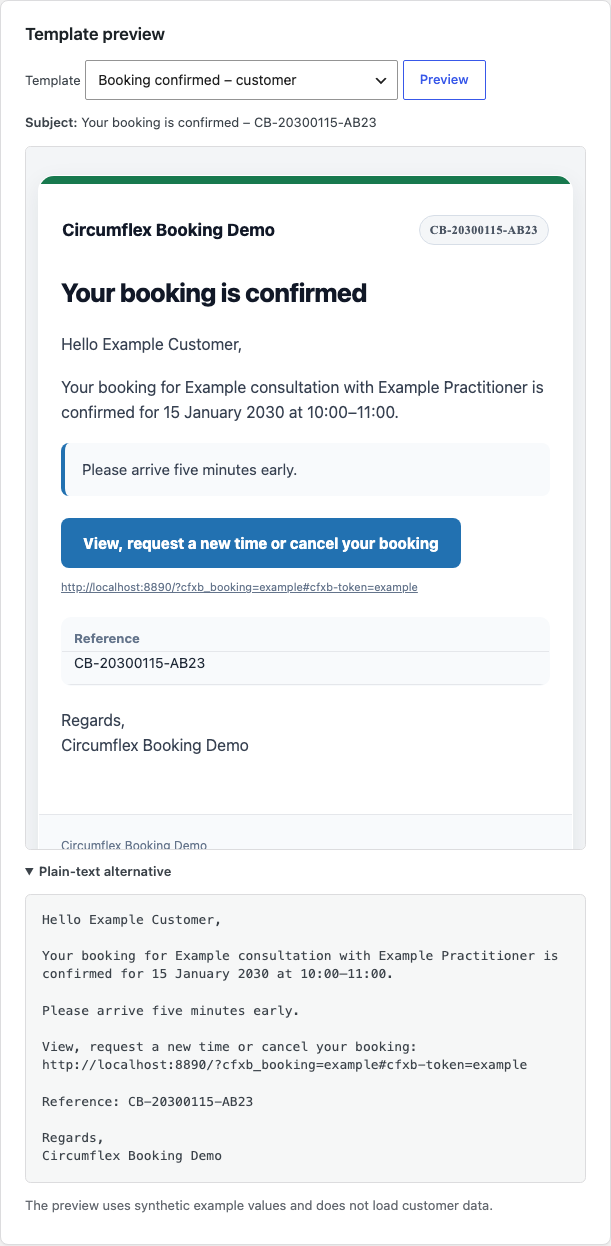
Receipt, confirmation, rejection, rescheduling, reminder, and cancellation messages use WordPress and your site’s mail setup.
Private Customer Portal
Confirmed customers can view the appointment, request a different time, or cancel before the configured deadline.
Operations & Privacy
Built-in queue status, audit log, privacy tools, retention rules, export, and safe uninstallation.
See the Product in Use
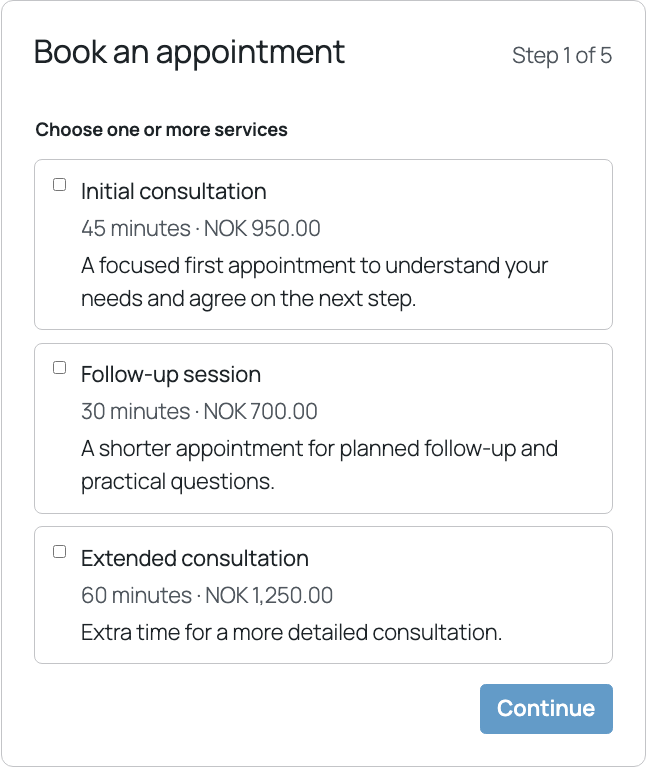
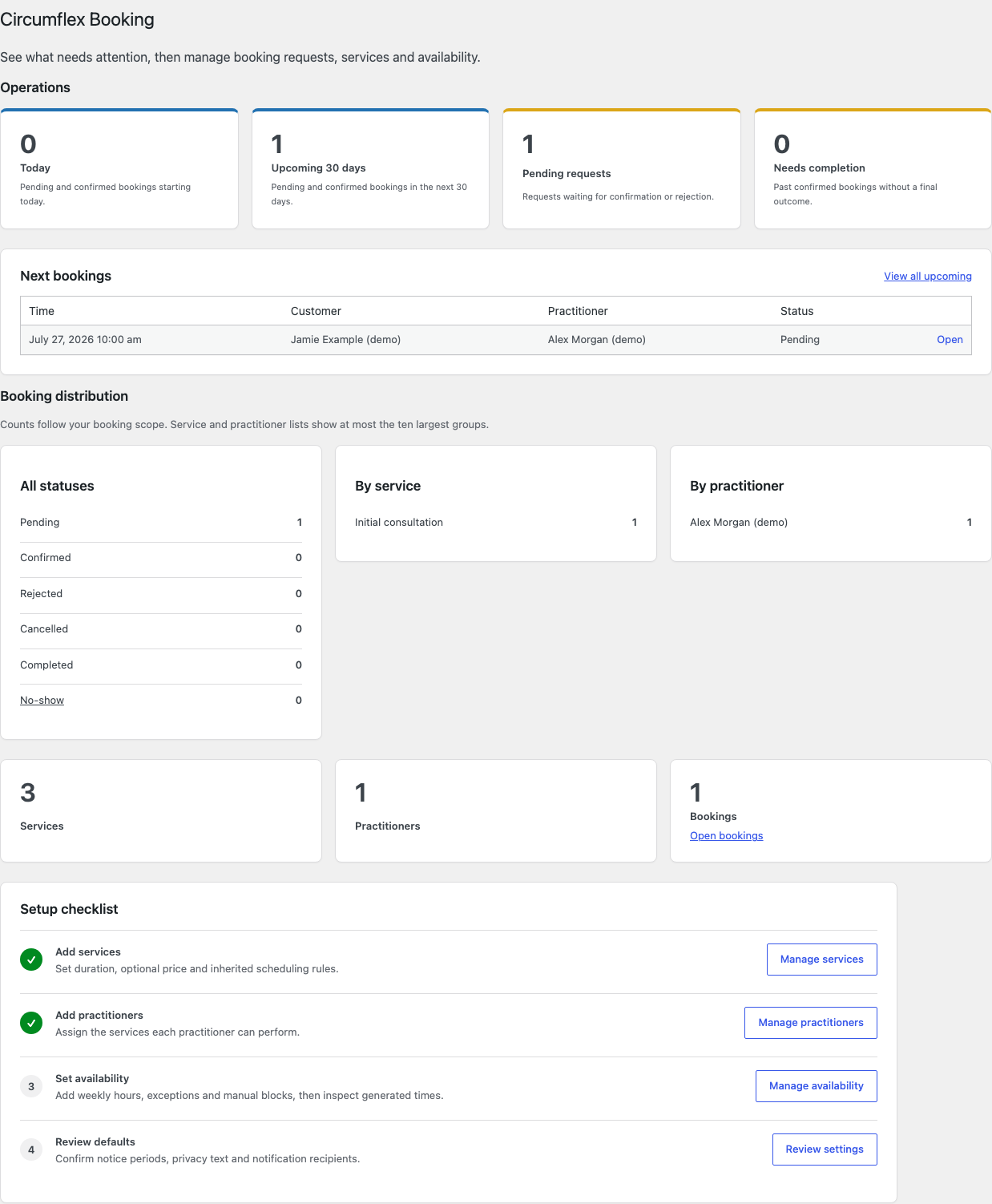
Every screenshot uses synthetic example data. Open an image to view the complete screen.
Requirements, Integrations & Data
Technical Foundation
- WordPress
- 6.8 or newer
- PHP
- 8.3 or newer
- Database
- Tested with MySQL 8.0 and MariaDB 10.11 or newer
- Embedding
- A regular WordPress page with the Gutenberg block,
[circumflex_booking]shortcode, or optional Elementor widget - Sent with
wp_mail(); an SMTP plugin is recommended
Data Stays on Your Site
- No booking data or diagnostics are sent to Circumflex AS.
- No license key, trial period, quota, or feature lock.
- Optional Cloudflare Turnstile is disabled by default and is shown as ready only after it is enabled and both keys are configured.
- WordPress export and erasure tools are supported.
- Retention periods for contact data are configurable.
Languages & Translation
English is the source language, and Circumflex AS maintains Norwegian Bokmål. Contributors can translate additional languages through the plugin project on Translate WordPress and distribute them as WordPress language packs.
Frequently Asked Questions
Is the complete plugin free?
Yes. Every feature included with Circumflex Booking 1.6.8 works without payment or a license key. The source is licensed under GPL-2.0-or-later.
Can several practitioners use one installation?
Yes. Create multiple practitioners and assign the services and working hours available for each one. When only one active practitioner exists, customers do not have to make a redundant choice.
Does it include payments or recurring appointments?
No. The plugin does not include payments, recurring bookings, or multiple locations. It focuses on a simple, reliable request flow with manual approval.
How does the plugin send email?
It uses the WordPress wp_mail() function. A separate SMTP plugin is recommended for reliable delivery and correct sender-domain handling.
How will automatic updates work?
Updates are delivered from WordPress.org through the standard Plugins screen in WordPress.
Install Circumflex Booking
Version 1.6.8 is available directly from WordPress.org. Use the support forum for help with the free plugin, or review the source and build instructions on GitLab.