Circumflex Booking for WordPress

Circumflex Booking
Let customers choose a service and available time. Manage requests and send email confirmations and reminders on your own WordPress site.
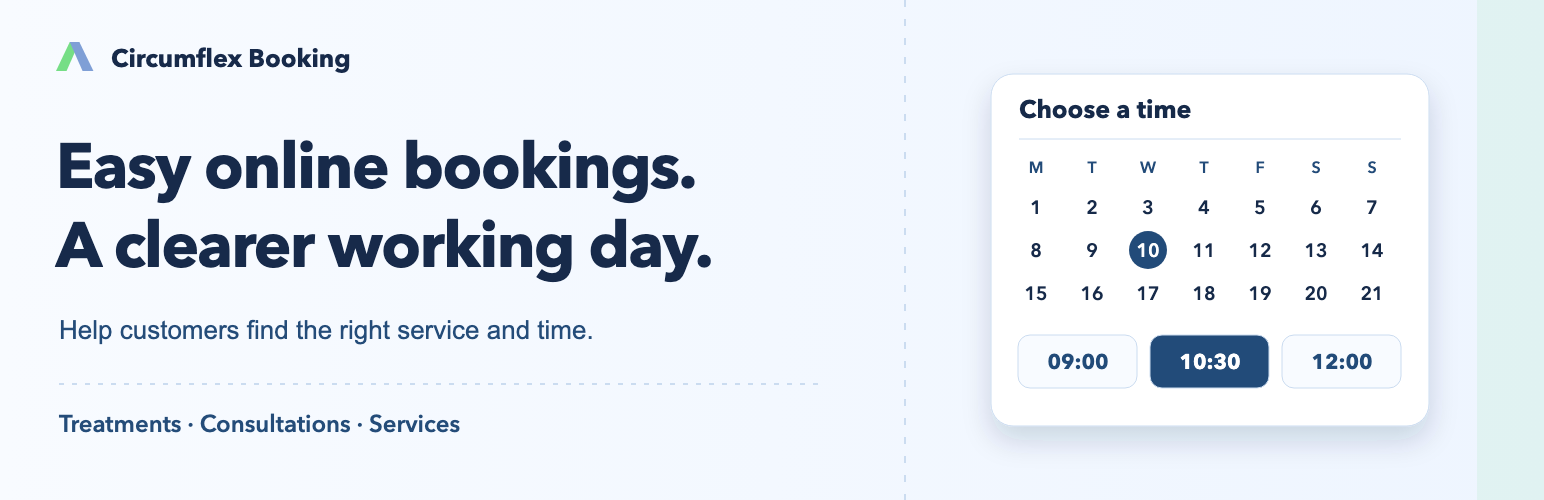
Make it easy to book a treatment, consultation or service on your website. Customers choose a service and an available time, then send a request without creating an account.
See your bookings in one place and decide which requests to confirm. Email confirmations and reminders are included.
Free appointment booking on your own website. No license key or Pro subscription required.
Free · Available on WordPress.org
Training areas

Circumflex Booking Airspace
Reserve flight-training areas, see planned activity and schedule quiet periods between sessions. A free add-on for Circumflex Booking.
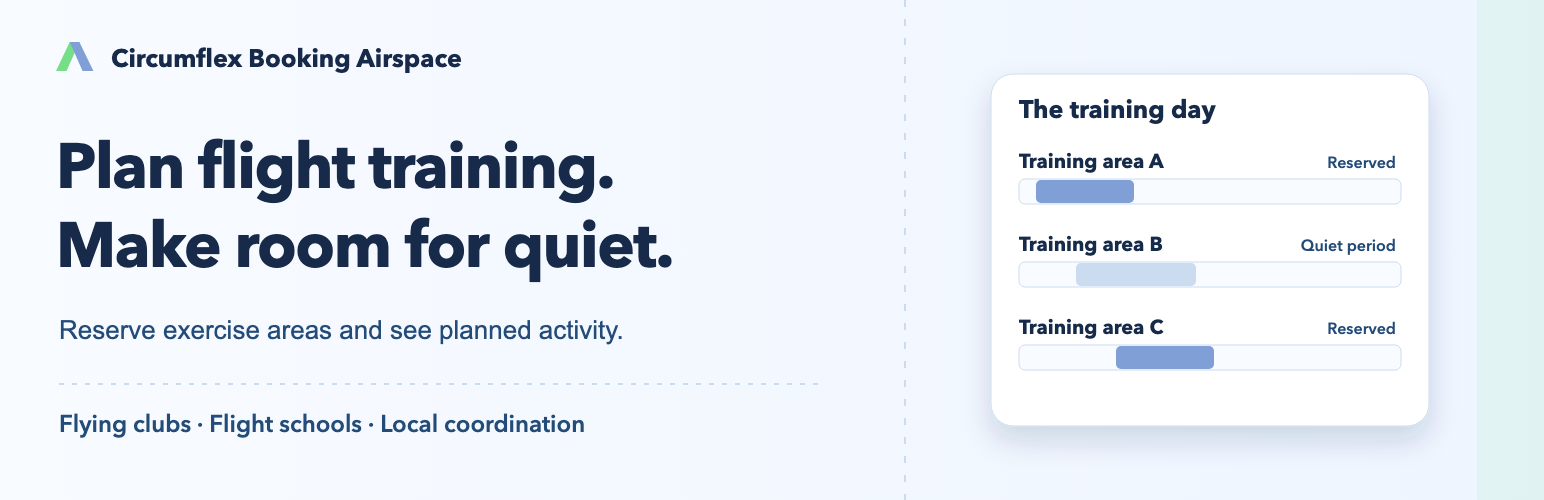
Make flight training easier to plan at your club or flight school. Pilots choose an exercise area and an available time, then request a reservation on your website.
See planned activity across areas, spread sessions out and allow quiet periods between flights. Give everyone a shared starting point for local planning.
A free add-on for Circumflex Booking. Reservations, manual approval and email notifications do not require Pro.
Explore features and setup
Find available time in the right area
Let pilots choose a date, exercise area and available start time. Offer different session types where needed and hide unnecessary choices when there is only one option.
Plan quiet breaks between flights
Add quiet periods before or after a session. The same exercise area cannot be reserved for a new session during that period.
Spread activity across areas
See planned training time and available starts for several areas. This makes it easier to choose another area when activity is concentrated in one place.
Give pilots a shared view of the day
An optional public calendar shows reservations and quiet periods as a timeline or list. Pilot names and contact details are not published.
Keep pilots informed by email
Send updates about requests and confirmed reservations. English and Norwegian email templates can be adapted before use.
Adapt the plan when conditions change
Choose opening hours and session lengths. Block time or add availability for one or all areas on selected dates.
Shared planning for clubs and flight schools
Create exercise areas and session types, choose their display order and set reservation and cancellation deadlines. Collect an aircraft registration or call sign and the contact details needed for coordination.
Getting started
Install Circumflex Booking and Airspace, choose the Airspace setup and add your areas. Publish the booking block and, if useful, the day overview on a separate page.
Requires a compatible version of Circumflex Booking. One booking setup is active per site. This is a local coordination tool, not a replacement for operational permissions, clearances or applicable airspace rules.
Pro can add sign-in, automatic approval and more notification channels. Email notifications and planned quiet periods are already included for free.
Can we use several exercise areas?
Yes. Choose which areas to offer and their display order. Pilots see planned activity and available times; the system does not automatically rank areas.
What happens during a quiet period?
It blocks new reservations in the same area before or after a session. You choose its length in your settings.
Are pilot details shown publicly?
The optional public day overview does not show pilot names or contact details. Displaying an aircraft registration or call sign requires a separate administrator choice and a lawful basis for publishing it.
Is this an official airspace reservation?
No. The plugin supports your organization's own planning. A reservation on the website does not grant an operational permission or clearance.
Meeting rooms

Circumflex Booking Meeting Rooms
Find and book available meeting rooms by location, capacity and facilities. Choose the time you need, right on your WordPress site.
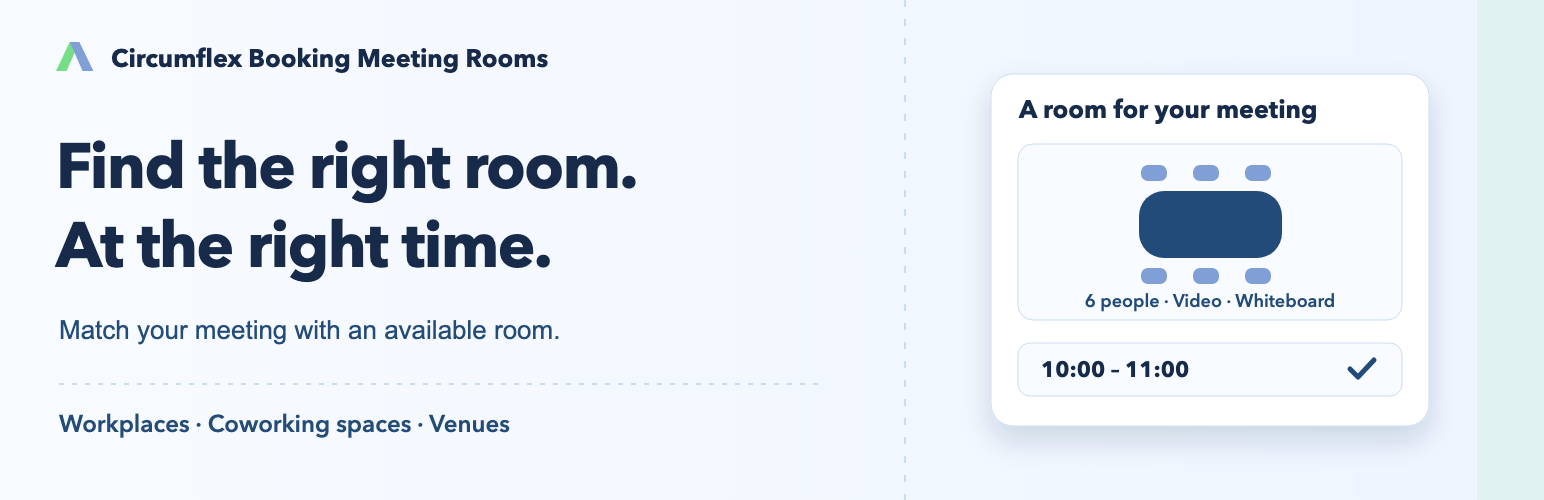
Help colleagues, members and visitors find a room that fits. They choose a location, group size and the facilities they need, then see which rooms are available at the right time.
Circumflex Booking Meeting Rooms brings room booking to your own WordPress site. It suits workplaces, coworking spaces and organizations that share rooms.
A free add-on. Requires the free Circumflex Booking plugin, but not Pro or an account for the person booking.
Explore features and setup
Find a room that fits your meeting
Search by location, group size and facilities such as video equipment, a whiteboard or step-free access. Show only the choices relevant to your rooms.
Book the time you actually need
Choose a start and end time, or use shortcuts for common meeting lengths. Full-day and multi-day bookings are possible when the room is free for the entire period.
See availability, not private meeting details
Show when a room is busy without publishing the meeting subject, its attendees or their contact details.
Return to your favorite room faster
Save favorite rooms and a preferred location in the browser on your device, making them easier to find next time.
Keep bookings together without clashes
Each room has one shared reservation calendar, even when it is offered on several pages of your website.
Let people manage their own plans
Use email confirmations and reminders, with a private link to view, request a change to or cancel a confirmed booking within your chosen deadlines.
Rooms, opening hours and requests in one place
Organize rooms by city, building and floor. Add capacity and facilities, and set shared opening hours or separate hours for a location or room. An authorized person approves requests in the free plugin.
Getting started
Install Circumflex Booking and Meeting Rooms, choose the meeting-room setup and add your rooms. Publish the booking block on a WordPress page.
Requires Circumflex Booking 1.6.0 or later. One booking setup is active per site. Installation does not change existing bookings or choose a new setup for you.
Pro can add sign-in for selected users, automatic approval and more notification channels. Room search, reservations, email and private customer links are already included for free.
Can I use this without Pro?
Yes. Room search, time selection, reservations, manual approval, email confirmations and reminders are available with the two free plugins.
Does the person booking need a WordPress account?
No. Booking does not require an account. Optional sign-in and access rules can be set up with Pro.
Can the same room appear on several pages?
Yes. Those pages share the same reservation calendar for the room.
Are details of other meetings shared?
No. Public availability does not show subjects, attendees, contact details or notes from other meetings.
Need a different kind of booking?
Have an idea for a new add-on, or a booking need your organization would like to solve? Tell us what you want to make possible.
Send us your ideaOptional add-on

Circumflex Booking Pro
Get email support, official Pro updates, optional sign-in, automatic approval and more ways to send notifications and follow up.
Build on the booking system you already use. Get help by email, let selected bookings be confirmed automatically and keep customers and staff informed through the channels that suit them.
Pro is an optional add-on for appointments, meeting rooms and flight-training areas. Enable the features your organization needs. The free system also works without Pro.
Events has its own registration flow. Automatic confirmation, email reminders, staff access and ticket recovery are included in free Events and do not require Pro.
USD 49 per year excluding tax · one permanently assigned site · 30-day money-back guarantee
Purchases, licensing, and official Pro updates are handled through the secure customer portal.
Free add-on for tickets and event registration

Circumflex Booking Events
Tickets and registration for your events
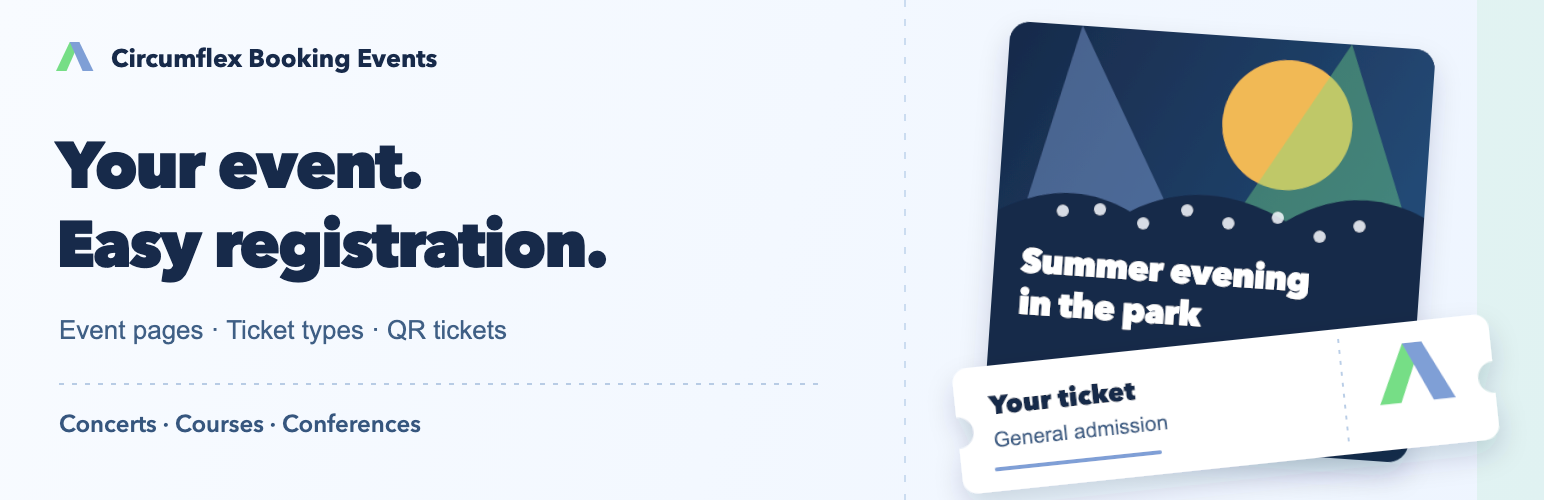
Bring people together for concerts, courses, conferences and community events. Create an inviting event page with an image, programme and practical information, and offer ticket types that fit your event.
Let people book for themselves or a group. Keep track of registrations and available tickets, send QR tickets by email and welcome attendees with straightforward check-in on a phone.
Free · version 1.0.0 · available on WordPress.org
A free add-on for Circumflex Booking Core. For events without payments; no Pro subscription is needed.
From your event page to a warm welcome
Present your event
Bring together an image, introduction, programme, practical information, time and venue on an event page. Show several events in an overview or share a link to a single event.
Offer your own ticket types
Create categories such as general admission, member or companion. Describe each type and set the number of tickets available for the whole event and for individual types.
Let people book together
One booking can include several attendees and ticket types. Set a limit on tickets per booking. Each confirmed place receives its own ticket.
Keep track of registrations
Confirm bookings automatically or approve requests yourself. View registrations and their status, handle cancellations and download the attendee list.
Send tickets and reminders
The contact person receives a confirmation email with QR tickets. Enable reminders before the event and notify attendees about changes or cancellation.
Welcome your attendees
Scan a ticket with a phone or look up the registration manually. When a group arrives together, staff can count the attendees and check in those who have arrived at once.
Make tickets easy to find
Attendees can show their ticket on a phone or print it. If the confirmation email is missing, they can find their tickets with their email address and a code sent to them.
Make it work for your event
Choose registration dates, a cancellation deadline and optional email verification. Pause new bookings when needed. Event information stays available when the event is full or registration is closed.
Give staff access to selected events for event management or check-in. Administrators have access to all events. Choose defaults for new events and adjust them for each event.
Get started on your own website
Install Circumflex Booking Core and Events, create your event and share the link. Attendees do not need to create a WordPress account to book tickets.
Good to know
- Requires Circumflex Booking Core 1.6.17 or newer.
- The current version accepts bookings without payments and does not offer numbered seats or a waiting list.
- Ticket types are categories you create, not automatic checks of membership or other eligibility.
- Check-in requires an internet connection and closes when the event ends.
- One booking setup is active per WordPress site.
From Available Time to Confirmed Appointment
Customers do not need an account. You retain control of services, availability, customer data, and the final approval.
Configure Your Offering
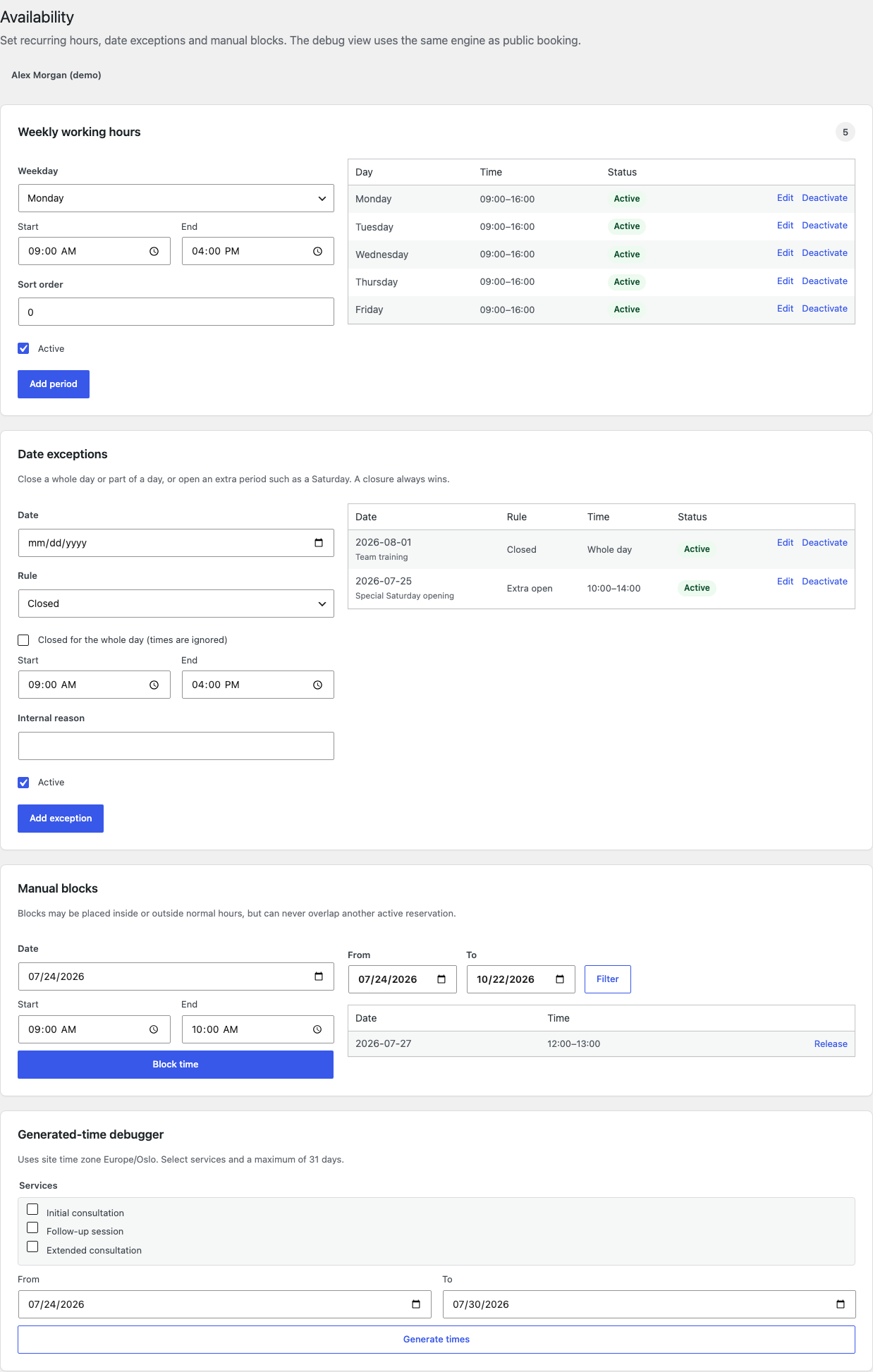
Create services and practitioners, set duration and preparation buffers, and define weekly hours, holidays, and other exceptions.
Embed Booking on Your Site
Circumflex Booking does not create a predefined booking URL. Create or edit a regular WordPress page, add the Gutenberg block, the [circumflex_booking] shortcode, or the Elementor widget, then publish the page. Share that page’s URL with your customers.
Process the Request
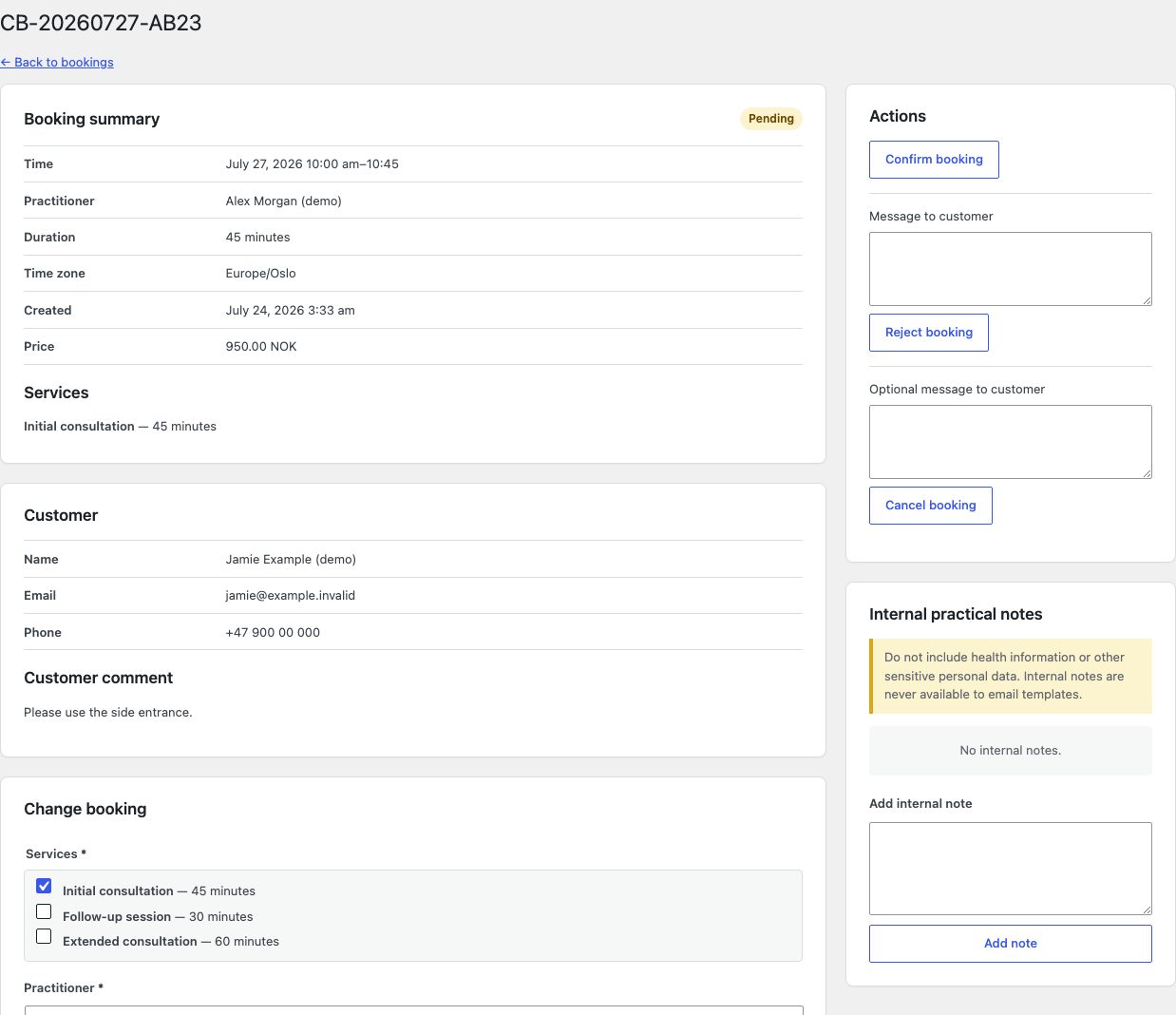
Confirm, reject, or reschedule the booking. The customer receives email and can later cancel or propose another time through a private link.
What you get
Help customers find a suitable time
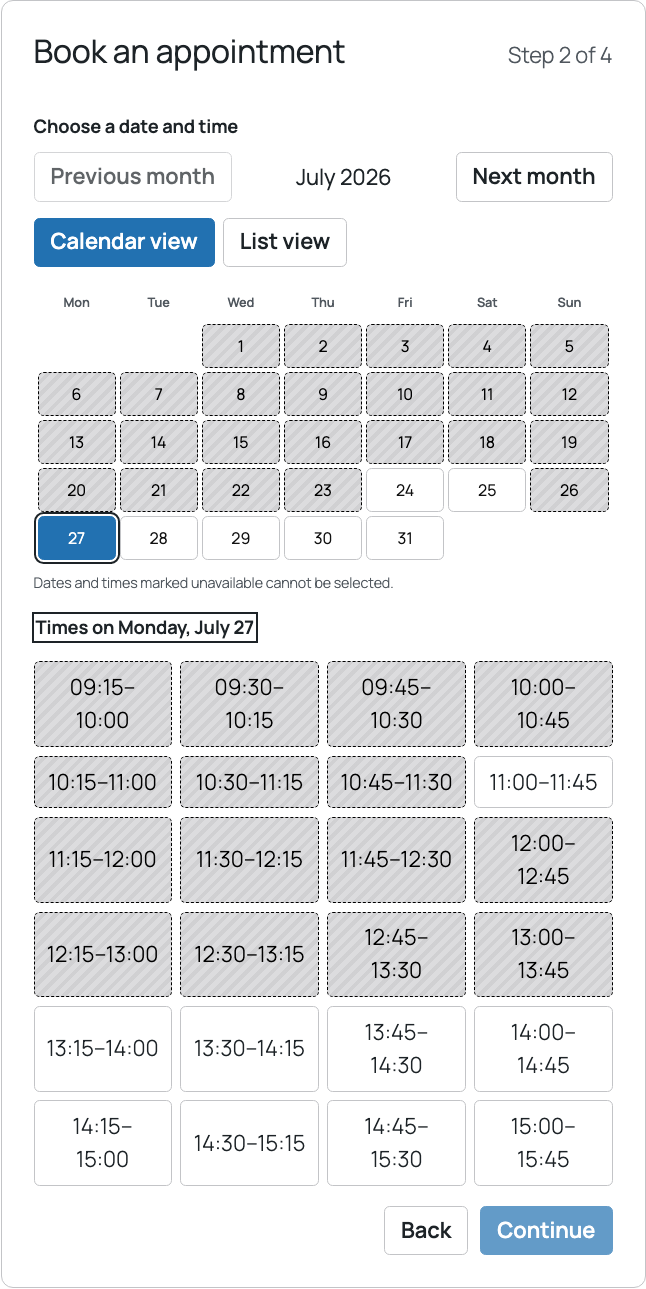
Show available dates and times based on your opening hours. Customers can choose a practitioner when several are available, or ask for the first available.
Make services easy to choose
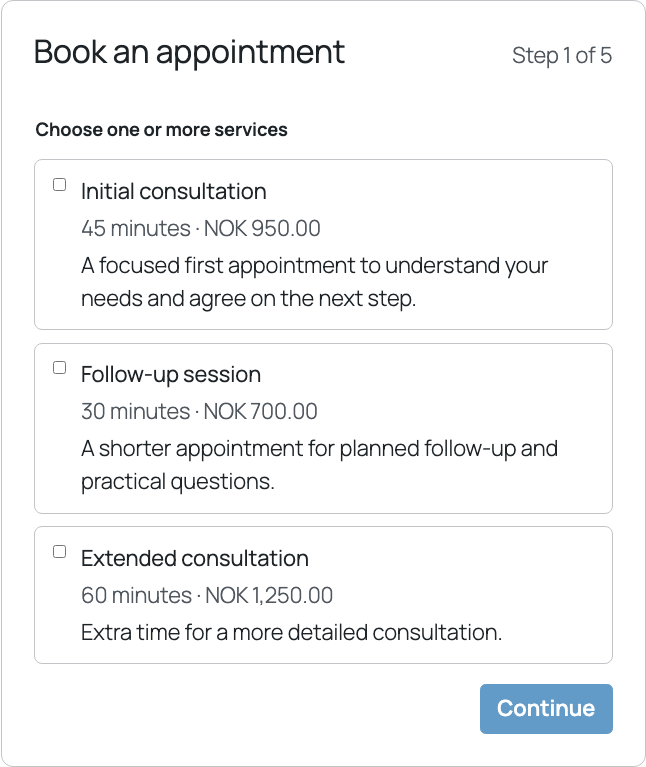
Present treatments, consultations and services with descriptions and prices. Put related choices into optional groups, or offer each service on its own.
Keep customers informed by email
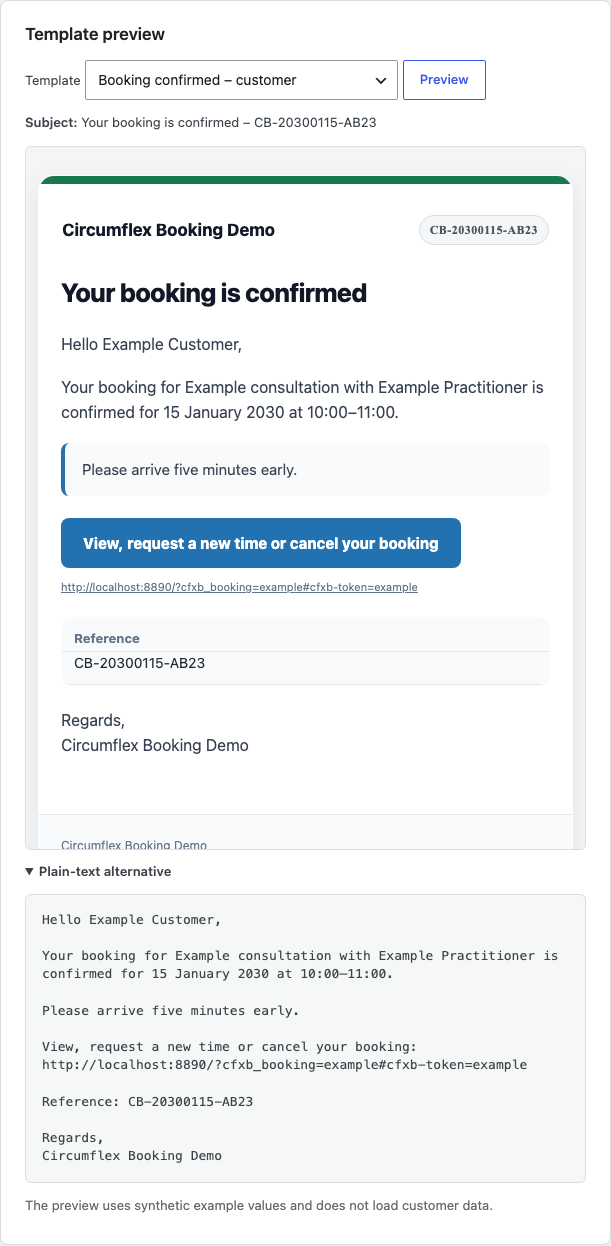
Send an email when a request is received and processed, and remind the customer about the appointment. Adapt the wording to your business.
Let customers change their plans
A private link lets customers view a confirmed booking, request another time or cancel before the deadline you set.
Stay in control of your calendar
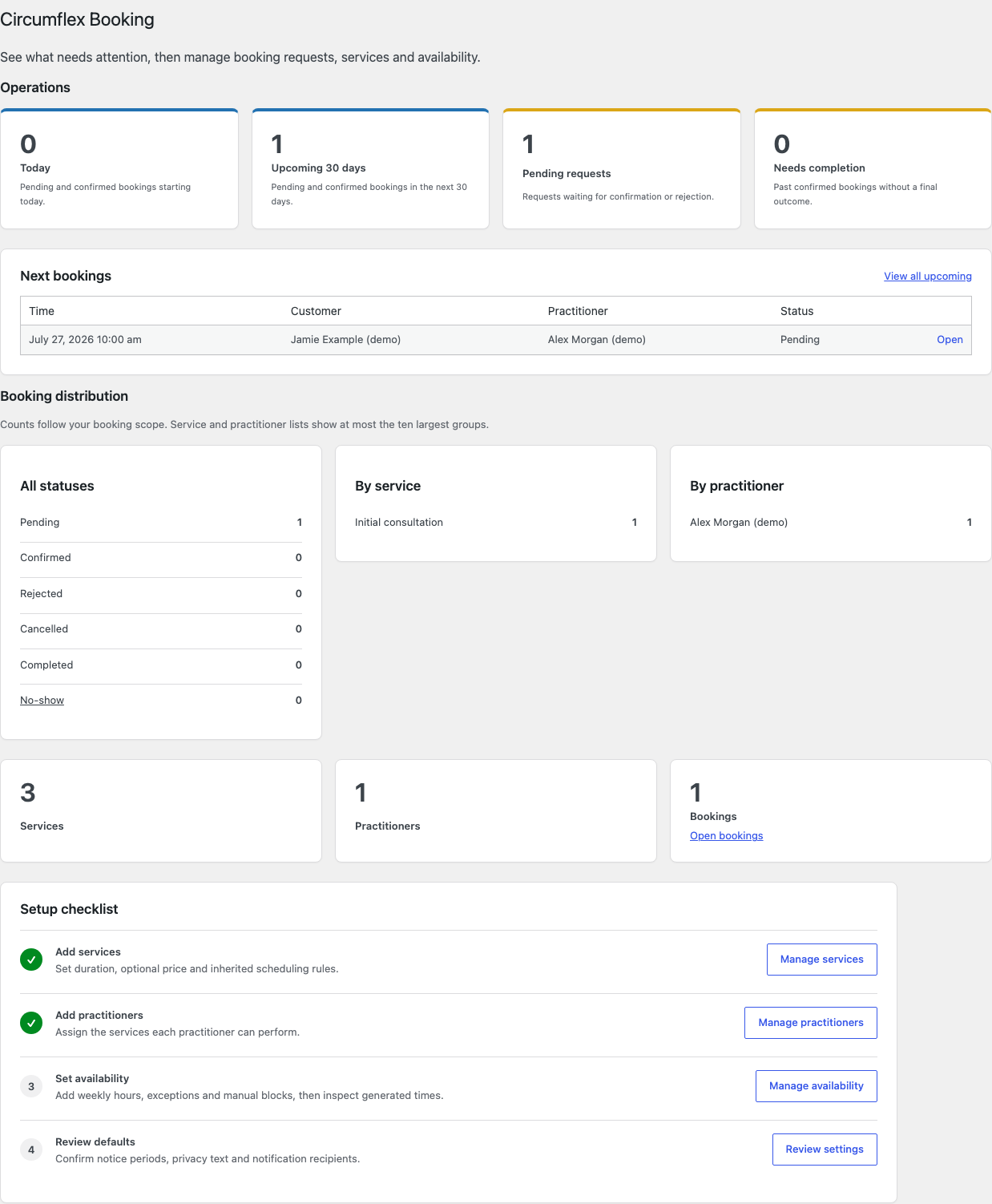
Approve or decline requests and see bookings in day, week or month views. A requested time is held while it awaits a decision.
Fit booking around your business
Choose opening hours, appointment lengths, breaks and deadlines. Add holidays, closures and extra hours for one practitioner or everyone.
A clearer working day for you and your team
Manage services, practitioners, availability and bookings in one place. Linked practitioners can handle their own assigned requests, while booking managers keep an overview of all requests.
Core works on its own for appointments. Free add-ons adapt the system for meeting rooms, training areas or events. Choose one booking setup per site. Pro can add extra features to a compatible setup.
See the Product in Use
Every screenshot uses synthetic example data. Open an image to view the complete screen.
Requirements, Integrations & Data
Technical Foundation
- WordPress
- 6.8 or newer
- PHP
- 8.3 or newer
- Database
- Tested with MySQL 8.0 and MariaDB 10.11 or newer
- Embedding
- A regular WordPress page with the Gutenberg block,
[circumflex_booking]shortcode, or optional Elementor widget - Sent with
wp_mail(); an SMTP plugin is recommended
Data Stays on Your Site
- No booking data or diagnostics are sent to Circumflex AS.
- No license key, trial period, quota, or feature lock.
- Optional Cloudflare Turnstile is disabled by default and is shown as ready only after it is enabled and both keys are configured.
- WordPress export and erasure tools are supported.
- Retention periods for contact data are configurable.
Languages & Translation
English is the source language, and Circumflex AS maintains Norwegian Bokmål. Contributors can translate additional languages through the plugin project on Translate WordPress and distribute them as WordPress language packs.
Frequently Asked Questions
Is the complete plugin free?
Yes. Every feature included with Circumflex Booking 1.6.8 works without payment or a license key. The source is licensed under GPL-2.0-or-later.
Can several practitioners use one installation?
Yes. Create multiple practitioners and assign the services and working hours available for each one. When only one active practitioner exists, customers do not have to make a redundant choice.
Does it include payments or recurring appointments?
No. The plugin does not include payments, recurring bookings, or multiple locations. It focuses on a simple, reliable request flow with manual approval.
How does the plugin send email?
It uses the WordPress wp_mail() function. A separate SMTP plugin is recommended for reliable delivery and correct sender-domain handling.
How will automatic updates work?
Updates are delivered from WordPress.org through the standard Plugins screen in WordPress.
Install Circumflex Booking
Version 1.6.8 is available directly from WordPress.org. Use the support forum for help with the free plugin, or review the source and build instructions on Forgejo.